Tenant furniture, cars in the driveway, kitchen-counter mess, personal photos on the wall — gone in 30 seconds. AI photo decluttering for real estate, from $0.99 per photo. No Photoshop, no re-shoot.
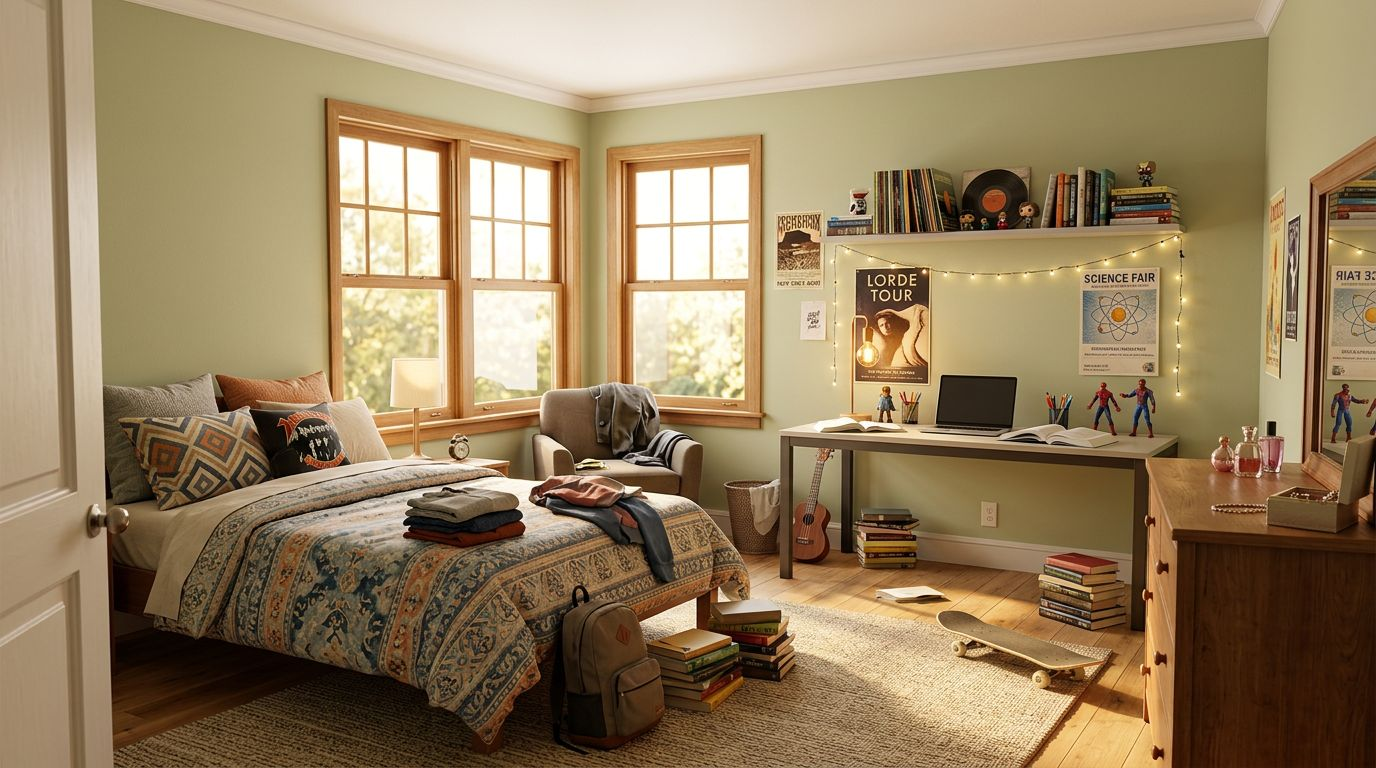
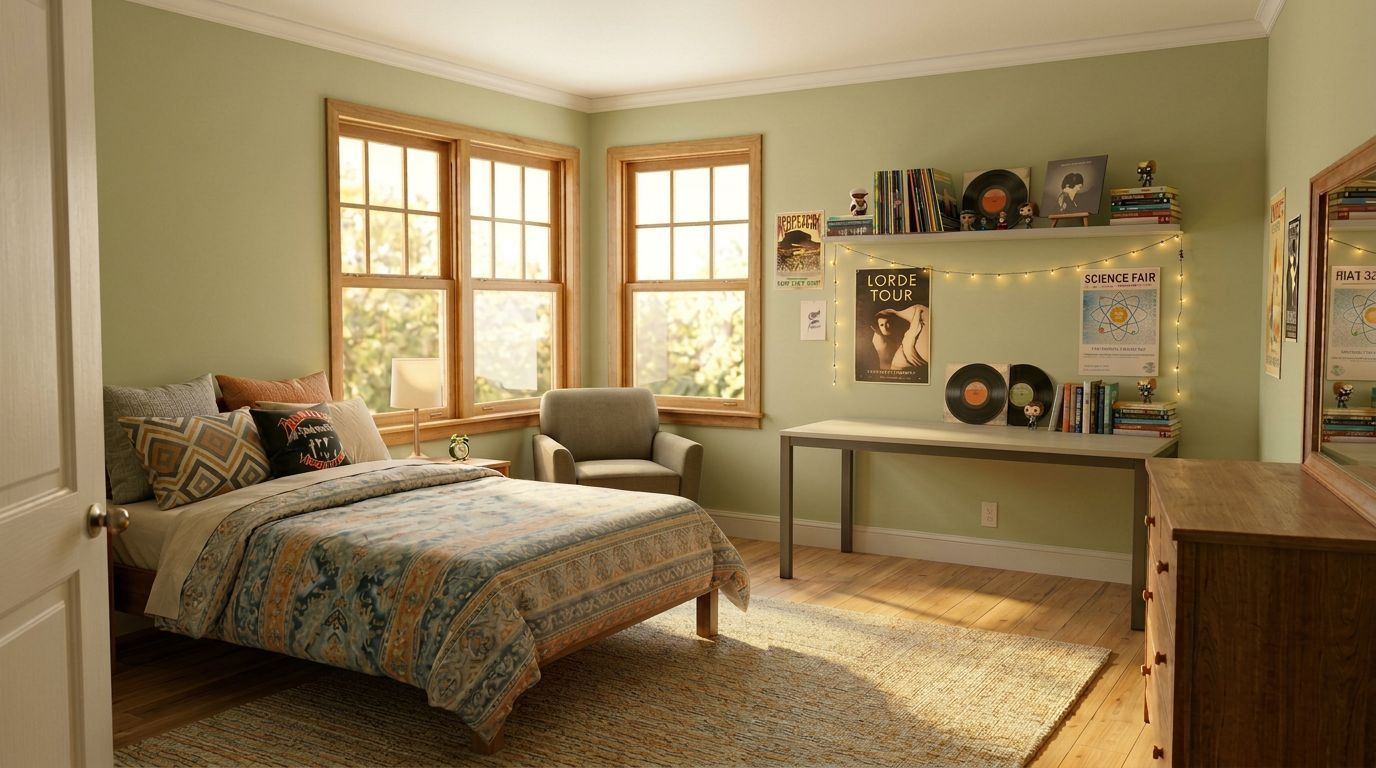
Same shot — tenant furniture, personal items and clutter removed in 30 seconds. The room sells itself.
When a property is listed while still occupied, photos show tenant furniture, posters, beds in wrong layouts — making the home harder to picture as the buyer's own. RePhoto strips it back to a clean canvas.
Cars parked in the driveway distract from the property and signal occupancy. RePhoto removes vehicles from exterior shots so the home itself is the focus.
Small appliances on counters, toiletries on bathroom shelves, magnets on the fridge — the AI clears it all so kitchens and bathrooms photograph clean and spacious.
Family photos, religious decor, personal art — buyers can't picture the home as theirs when the seller's identity is on every wall. RePhoto removes them while preserving the wall texture underneath.
Manual clutter removal in Photoshop requires masking, clone-stamping textures, fixing shadows — easily an hour per photo. RePhoto does the same job in 30 seconds, with realistic reconstruction.
Waiting for the tenant to move out before the photo shoot can delay your listing by weeks. Decluttered AI photos let you list while the property is still occupied — without compromise.
Start with 3 free credits. Buy packs only when you need them — they stay valid for 12 months.
AI photo decluttering uses machine learning to identify and remove unwanted items from listing photos — furniture, cars, personal decor, kitchen clutter, bathroom items — while reconstructing what the wall, floor or surface looked like underneath. RePhoto delivers the result in under 30 seconds per photo.
No. RePhoto's AI preserves shadows, reflections, and surface textures (hardwood grain, paint, tile patterns) so the final image looks like the room was simply clean — not like an object was cut out. Manual Photoshop edits typically leave clone-stamp artifacts; RePhoto's diffusion model rebuilds the area photorealistically.
You can do either. RePhoto offers a one-click "declutter" mode that removes typical clutter (small items, personal decor) while keeping main furniture, or a more aggressive mode that strips the room down to a neutral state for virtual re-staging.
Removing temporary clutter (toiletries, mail, personal items) is generally accepted. Removing structural features (walls, fixtures) is not — those would mislead buyers about the property itself. RePhoto is used for the first kind, which is standard practice. Disclose any virtual editing in the listing per MLS guidelines.
Yes — this is the most common use case. Photograph the home while the tenant is still in it, then declutter the photos to remove their furniture and personal items. List immediately, no re-shoot needed.
Yes. Cars in the driveway, trash bins, lawn debris, parked motorcycles, hanging laundry — RePhoto removes all of them while reconstructing the driveway, lawn or street surface underneath.
Absolutely. Many agents declutter first, then run the empty room through virtual staging — getting a clean, professionally staged listing photo from an occupied home. Both transformations cost one credit each.
After decluttering, stage the empty room with 9+ design styles.
Fix dark interiors and recover blown-out windows for MLS-ready photos.
Swap dated flooring, paint and countertops for fixer-uppers.
Turn daytime exteriors into emotional twilight hero photos.
All-in-one tool for staging, HDR, dusk, decluttering and more.
Browse 100+ before / after examples across rooms and edit types.